speed test
For the most accurate reading, pause anything else using your data including streaming, downloads, cloud backups and other devices on the same network and switch off any VPN.
A wired connection measures your line most closely; on Wi-Fi, get as near the router as you can, and leave this tab in the foreground until the test finishes.
Take control of your connection
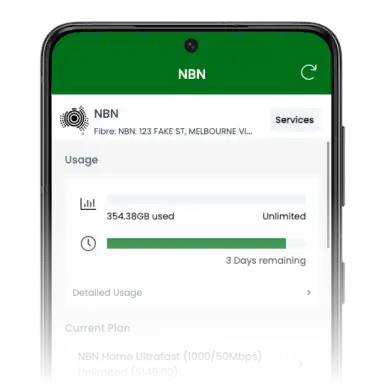
Monitor, troubleshoot, and manage your services with our app for iOS and Android!


Google Play and the Google Play logo are trademarks of Google LLC.
Frequently asked questions about Internet speeds
Still unsure? Have a look through our most frequently asked questions, and please don't hesitate to reach out to our friendly support team if you don't see an answer to your question.
You've probably noticed that there are a lot of different nbn® plans available, all offering different speeds. Those speeds range from the entry-level 25/10 plans, which provide a maximum of 25Mbps download speed and 10Mbps upload, through to a massive 2000/500 that has the ability to reach speeds up to 2000Mbps download and 500Mbps upload.
The bigger the number the faster the internet connection, basically. The natural next question is always “what speed do I need for my household?” We've put together a handy guideOpens in a new tab to help you decide. What you do need to know upfront, however, is that you won't ever get the exact maximum speed of your plan. Factors such as the type of connection that you have to the nbn®, the location of your house, and the time of day that you're using the internet can all have a big impact on the actual internet speeds being delivered to your home.
There's no need to check your internet speeds on any specific schedule. Speed tests are there as a diagnostic tool to help you determine if you have a problem. However, if you ever feel like you're not getting the speeds that you need, you should perform regular checks as you look at ways to Improve the speedsOpens in a new tab that you're getting.
For example, improving your internet speed might be as simple as switching off devices that you don't currently need and/or shutting down some programs on your computer that are chewing through data online. Running speed tests before and after each shut down is a useful way to pinpoint if there was a single device or service that was a problem.
Otherwise, you could buy a new modem/routerOpens in a new tab to see if that improves the speeds you're getting in your home. In which case, running regular speed tests at different hours can be a good way to check that your new device is delivering good speeds regularly.
Not all areas will be able to deliver the same internet speeds, so one thing that's worth knowing is whether your home is capable of receiving a specific internet speed. This is something that you can easily check with our connection insights toolOpens in a new tab.
We increasingly rely on our home internet as a major part of our lives. For example, many people now work or study from home, and to do that they need to set up a home office and connect into work or school over the internet. Many other people have started their own businesses within their homes, and even the smallest of businesses benefit from a business-grade internet connectionOpens in a new tab at home for interacting with customers around the world.
High-speed internet allows you to communicate with people over video conferencing, utilise demanding Cloud applications, share files online quickly and, on the entertainment side of things, enjoy Netflix and download large video games. For many Australian households, each person in the family will want to be using the internet at the same time, and that's where the bigger plans come in.
If you're not happy with the internet speeds that you're getting, you could try the following to improve the speeds:
- Troubleshoot around the home: From application usage through to a weak and poor Wi-Fi signal, there are many ways that an internet connection might be slowed within the house. Running through a troubleshooting listOpens in a new tab might help you to identify and address where the slowdown is occurring.
The long and short of it is that a new modem/router may help boost your nbn® speeds, and there are a couple of reasons for this.
Firstly, there are different Wi-Fi standards that modem/routers are capable of, with higher numbers (e.g. Wi-Fi 6 or 7) being significantly faster than older standards.
Secondly, some modem/routers are designed to allow more devices to connect at the same time. If you're experiencing slowdowns or dropouts, and have a lot of devices in the house, it's possible that the modem/router simply can't handle them all, and an upgrade may fix that problem.
Finally, the signal strength that a modem/router broadcasts might be too weak. If you're finding that the internet speeds are slow when you're too far away, you might be able to fix that simply by investing in a “mesh” network or signal boosting device to cover the “black spots” in your home.
If you are an internet power user and need multi-gigabit internet (that's 2,000Mbps+), then the first thing you need to do is check that your area is able to receive speeds that fast, and check to see if any additional nbn infrastructure needs to be installed with our connection insights toolOpens in a new tab. Then you need to make sure you have a powerful enough router for it. We sell the eero Pro 7 router, which can support these speeds
If your home can support multi-gigabit internet, then the next thing to do is simply select a multi-gigabit plan at checkout.