First Published Wednesday 10 Sept 2025 | Last Updated Thursday 11 Sept 2025 | 1 min read
Carbon Base Management for Partners
The speed and pricing changes coming from the NBN Accelerate Great will change the NBN plan landscape and will widen the speed gap between fibre and non-fibre end points.
Those with Fibre-to-the-Premises will enjoy readily available plans up-to 2Gbps.
Meanwhile, those on FTTN and FTTC will continue to be limited by their connection capability.
Fibre offers more flexibility
End customers on fibre will not only have access to a greater range of plan speeds, they will also have greater variety of pricing options and support packs.
For partners, as a matter of base management practice, Accelerate Great presents an opportunity to assess and provide end customers with their options to help them get the most value for their data connectivity.
Fibre Upgrade opportunities in Carbon
You can filter existing services managed in Carbon by those capable of a Fibre Upgrade from NBN.
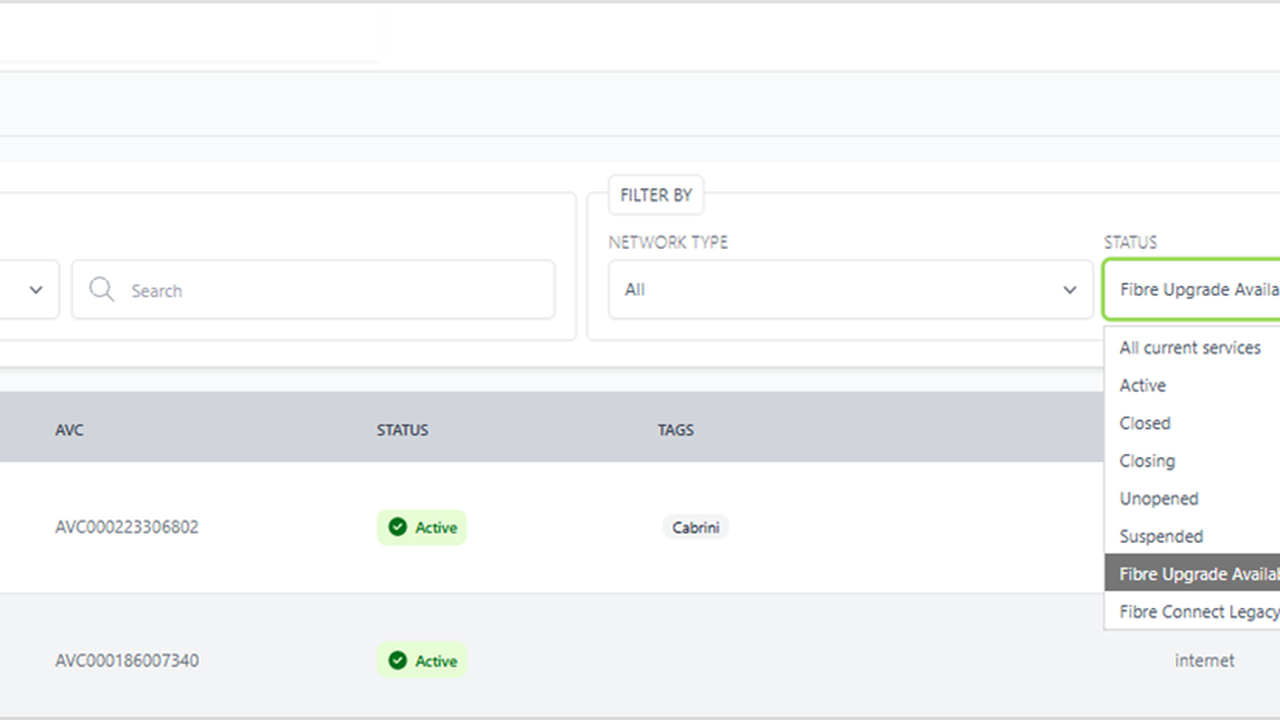
Screenshot of Carbon displaying NBN TC-4 services where a Fibre Upgrade is available.
Login to Carbon.
Open Services > NBN.
In the Filter By section at the top of the page, find the ‘Status’ drop down menu.
Select ‘Fibre Upgrade Available’.
Base Management opportunities in Carbon
Carbon also allows you to filter connections by technology type – which will allow you to identify those connections that may benefit from new pricing, support options and more.
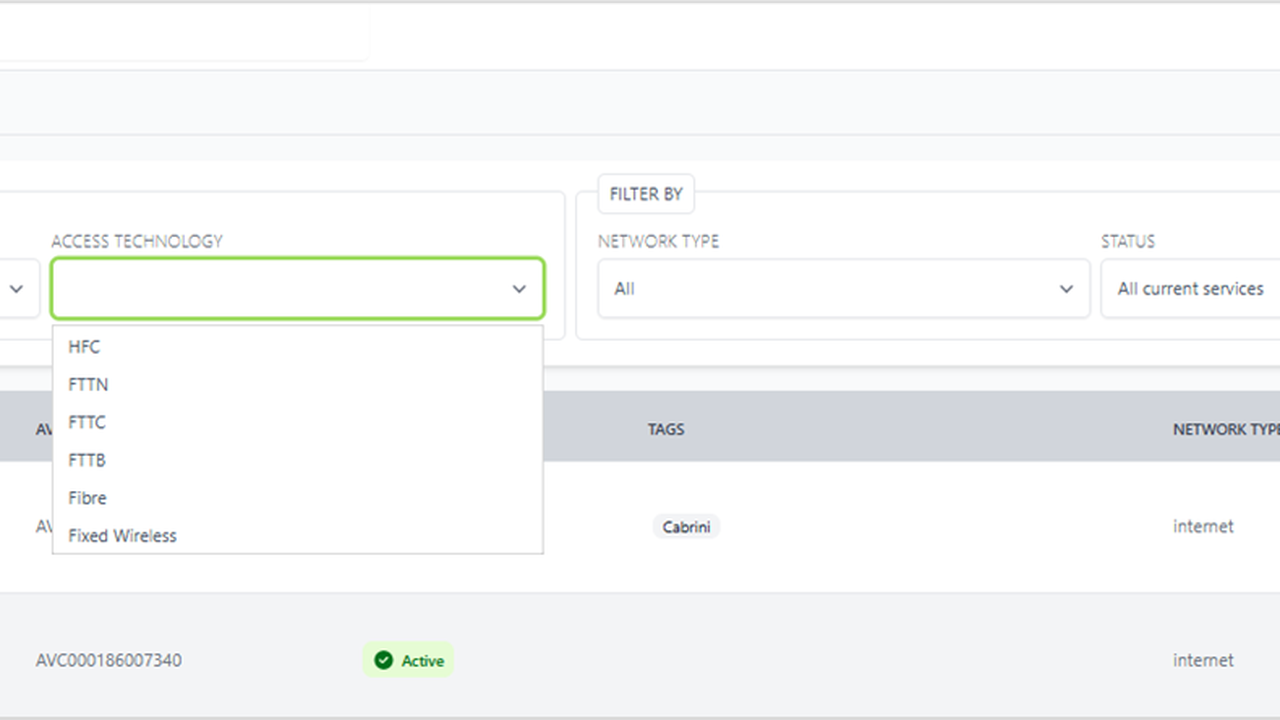
Screenshot of the Carbon portal displaying NBN TC4 services by connection technology type
To identify these end customers:
Login to Carbon.
Open Services > NBN.
In the Search By section at the top of the page, find the ‘Access Technology’ drop down menu.
Select the NBN end point technology type of your choice, e.g. HFC, Fibre, FTTC.
Any questions?
Please reach out your account manager or contact support if you need further information.
Tags:Wholesale
Articles like this

What is Low and High CoS for nbn® Enterprise Ethernet?
3 October 2023 | 2 min read
If you're looking for nbn® Enterprise Ethernet , you've likely come across high and low CoS or Class of Service. In this article, we'll explain what Class of…
Tags: Business, Enterprise and Government, Wholesale
Read more
What faster NBN plans mean for your customers
18 June 2025 | 1 min read
Faster NBN plans are arriving in September , delivering speed improvements for existing services, and new plans up to 2000Mbps on residential connections. Whi…
Tags: Wholesale
Read more
What is a hosted PBX/PABX and how does it work?
6 February 2024 | 3 min read
Are clients, partners and prospects constantly calling your mobile? Or the one office phone on your reception desk? That's a good problem to have. It means yo…
Tags: Business, Hosted PBX, Wholesale
Read more